

In Part 1 of this series, we covered the fundamentals of NetExec (NXC), including installation, basic syntax, credential validation, share enumeration, and some of my other favorite modules. If you haven’t read that yet, go check it out first.
This time, we’re going to dig into one of NetExec’s most underrated features: its built-in database. If you’ve been using NXC and ignoring the database, you’re leaving a lot of value on the table. Let’s fix that.
What Is the NXC Database?
Every time you run NetExec against a target, it automatically logs the results to a local SQLite database. Hosts, credentials, shares, and more are stored silently in the background while you work.
This means after a long day of enumeration, you don’t have to go hunting through terminal scroll-back (which I still find myself doing quite often) or grepping through text files. Everything NXC has discovered is already organized and queryable.
The database is managed through a companion tool called nxcdb. Think of it as your engagement journal that writes itself.
Launching nxcdb
Getting into the database is simple. Just type:
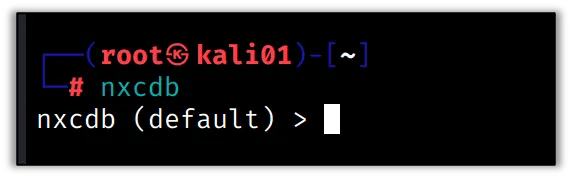
nxcdbYou’ll be dropped into an interactive prompt that looks like this:
nxcdb (default)>That (default) is your current workspace. We’ll cover more on that in a moment. From here you can query everything NXC has collected.
Workspaces
One of the best organizational features in nxcdb is workspaces. Each workspace is its own isolated database, which makes it easy to keep separate engagements completely siloed from each other.
To create a new workspace for a client engagement:
nxcdb> workspace create [workspace name]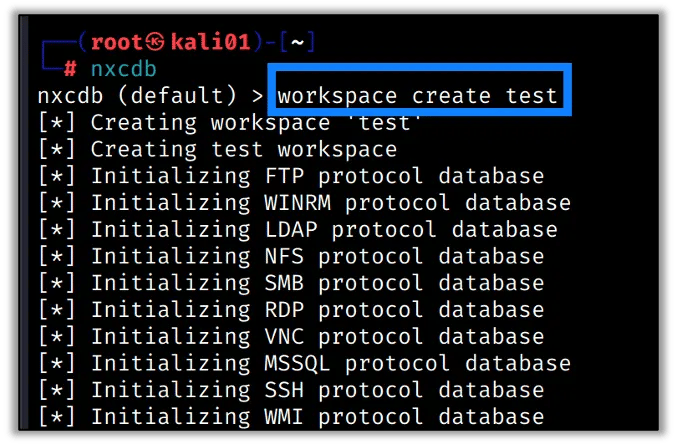
To list all workspaces:
nxcdb> workspace list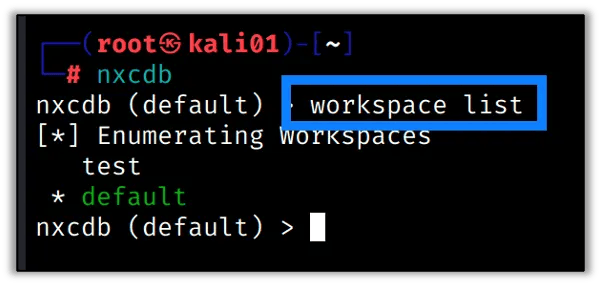
To switch to an existing workspace:
nxcdb> workspace [workspace name]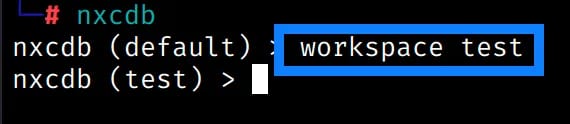
I create a new workspace at the start of every internal pentest. It takes five seconds and saves a lot of confusion when I’m juggling multiple engagements.
Viewing Hosts
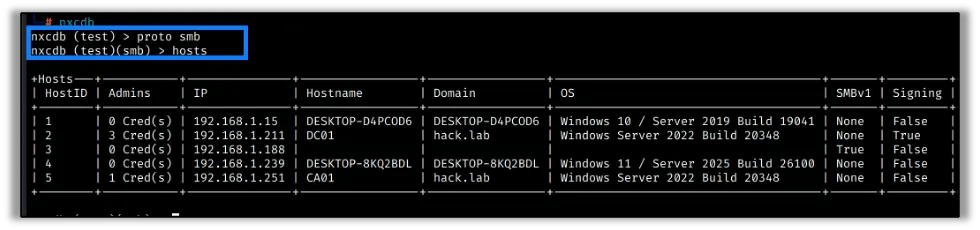
After running any NXC commands against a target network, all discovered hosts are automatically logged. To see them, you first need to select a protocol context. For example, to work with SMB data:
nxcdb> proto smbOnce you’re in the SMB protocol context, you can list all discovered hosts:
nxcdb (smb)> hostsThis gives you a table of every host NXC touched, its IP address, hostname, domain, OS, and SMB signing status. It’s a clean inventory of the network that built itself as you worked.
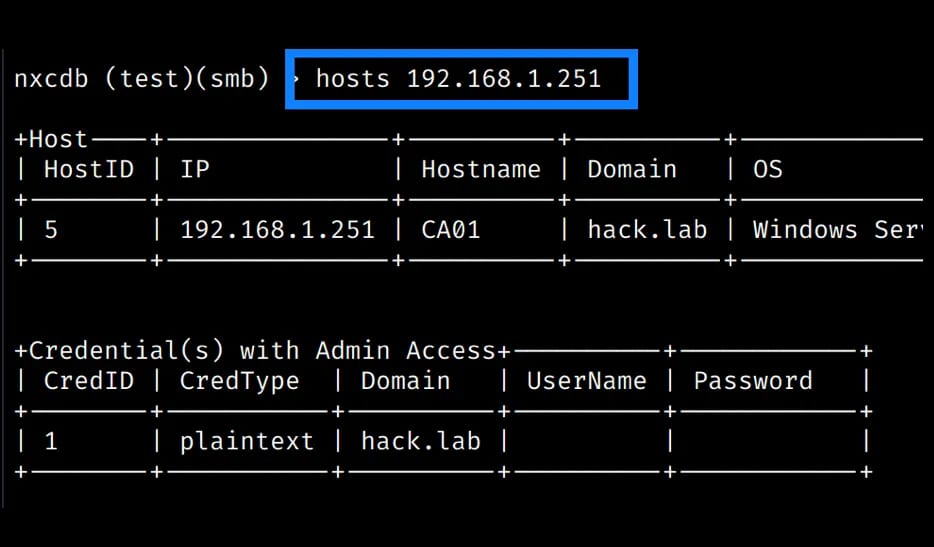
You can also filter down to a specific host to see just its details, including any credentials that have been discovered for it:
nxcdb (smb)> hosts 192.168.1.251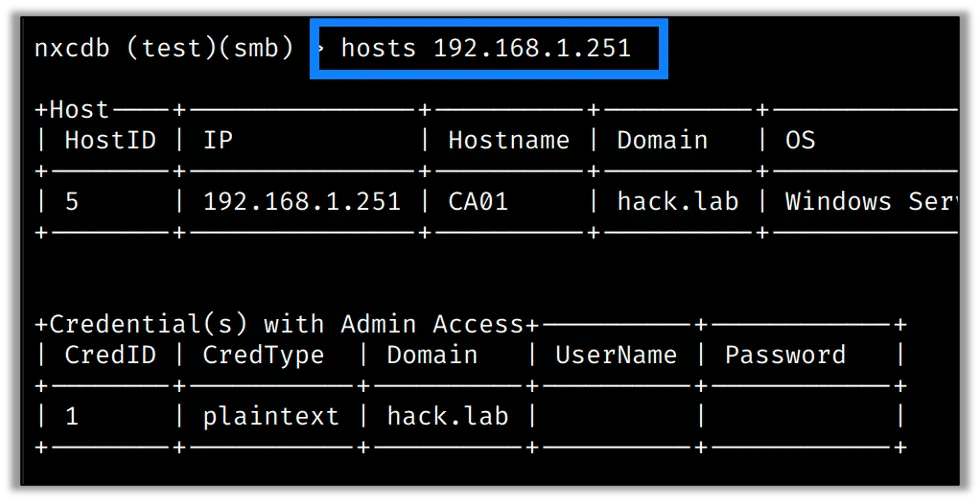
Viewing Credentials
This is where things get really useful. Every set of credentials that NXC has successfully validated, whether username/password combos or NTLM hashes, get stored in the database.
nxcdb (smb)> creds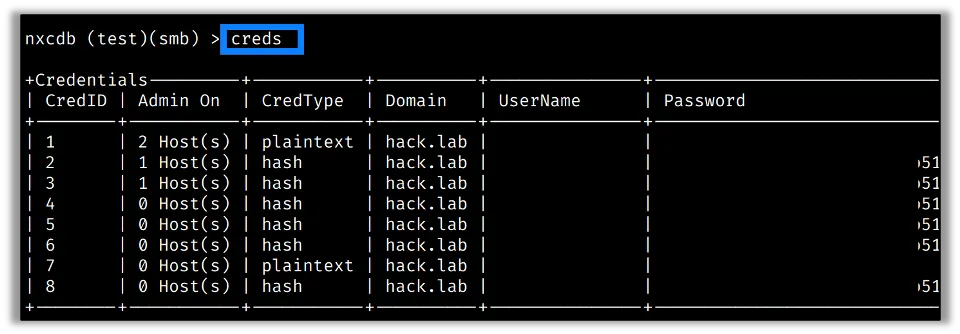
This is incredibly helpful mid-engagement. Instead of trying to remember which credentials worked on which hosts, you just ask the database. You can also filter by credential type:
nxcdb (smb)> creds plaintext
nxcdb (smb)> creds hash
Mapping Credentials to Hosts
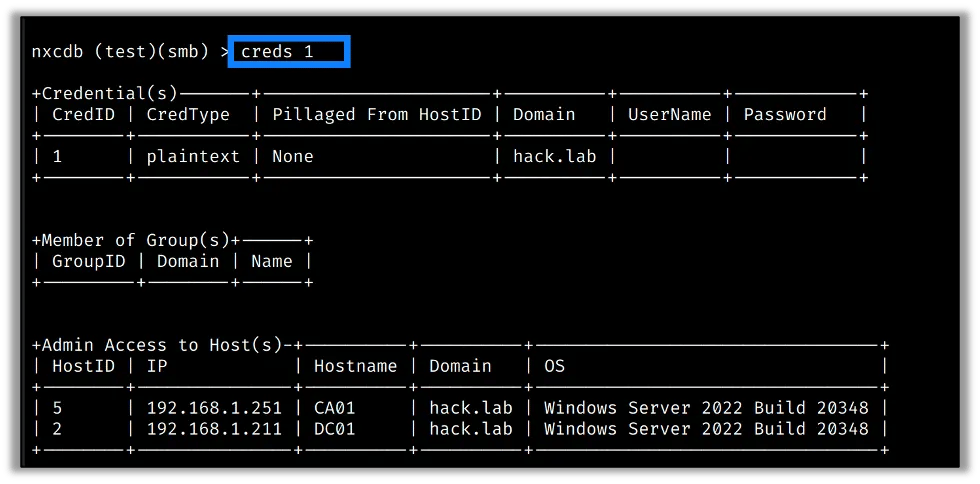
Here’s one of my favorite things nxcdb can do, show you exactly which credentials work on which hosts. Once you have a valid credential in the database, you can look it up by its ID (shown in the creds output) and see everywhere it’s been confirmed:
nxcdb (smb)> creds 1This pulls up credential ID 1 and shows every host where it authenticated successfully. For lateral movement, this is gold, one query and you have your entire attack surface mapped out.
Exporting Data
When it’s time to write the report, you can export database contents to a CSV for easy reference or to hand off to another tool:
nxcdb (smb)> export hosts simple /home/kali/hosts-simple.csv
nxcdb (smb)> export hosts detailed /home/kali/hosts-detailed.csv
nxcdb (smb)> export hosts signing /home/kali/hosts-signing.csv
nxcdb (smb)> export creds /home/kali/creds-export.csv
The hosts export has three output modes:
simplegives you a clean list of IPs and hostnamesdetailedincludes OS and domain infosigningfocuses on SMB signing status (handy for quickly identifying relay targets)

This pairs well with dropping data into a spreadsheet or your favorite reporting platform. No more manually copying IP addresses out of terminal output.
Tips for Getting the Most Out of nxcdb
Based on how I use it during internal network pentests and red team engagements, here are a few habits worth building:
- Create a workspace at the start of every engagement. Don’t let client data bleed between jobs.
- Check the database before re-running scans. NXC may have already discovered what you’re looking for.
- Use creds during lateral movement planning. Know which accounts have broad access before deciding your next move.
- Export before wrapping up the engagement. It’s much easier to pull a clean CSV from nxcdb than reconstruct data from logs later.
Finishing Up
The NXC database is one of those features that quietly makes you more effective the longer an engagement runs. While you’re busy running modules and chasing attack paths, it builds an organized record of everything you’ve found. That’s the kind of automation that actually matters.
If you haven’t been using nxcdb, start today. Future you, the one who’s tired and writing an internal network pentest report at 11pm on a Friday, will thank you.
Stay tuned for the next installment in the NetExec series, where we’ll dive into some of the more advanced protocol modules and what they can do during a real engagement.